 ×
×
Serious question: how many times have you looked at your screen door or window and seen a fine layer of gray dust trapped in the mesh? Have you thought to yourself, "That's gross, I need to clean that," only to put it off until later? While it may be a case of 'out of sight, out of mind,' that dust and dirt could be undermining the very function of your screens.
The primary job of your screen doors and windows is to keep out insects, leaves, and other debris while letting fresh air and light in. But when dust builds up on the mesh, it starts to clog those tiny openings. Your screens can become barriers to airflow, meaning less fresh air circulates through your home. That lovely breeze you once enjoyed may become just a faint whisper.
Consider the health aspect, too. Dust isn't just dirt from outside; it's a combination of pollen, mold spores, skin cells, and other allergens. Whenever the wind blows against your dusty screens, some of those particles can make their way inside. If anyone in your household suffers from allergies or respiratory issues, clean screens can make a noticeable difference in indoor air quality. This is about more than just cleaning—it's about creating a healthier living environment.
Then there's longevity. Screens are an investment in your home's comfort and functionality. Manufacturers engineer durable products to withstand the elements, but accumulated dirt and moisture can accelerate wear and tear. Dust holds moisture against the mesh fibers, which can lead to corrosion on metal screens or degradation of fiberglass ones. Regular cleaning isn't just maintenance; it's a way to protect your investment.
And let's not forget aesthetics. Clean screens simply look better. They offer a clearer view and make your home feel more cared for. When sunlight hits a freshly cleaned screen, it brightens your room without fighting through a layer of grime. These small details contribute significantly to how you experience your living space.
Wipe screen door mesh with a soft brush to remove dust.
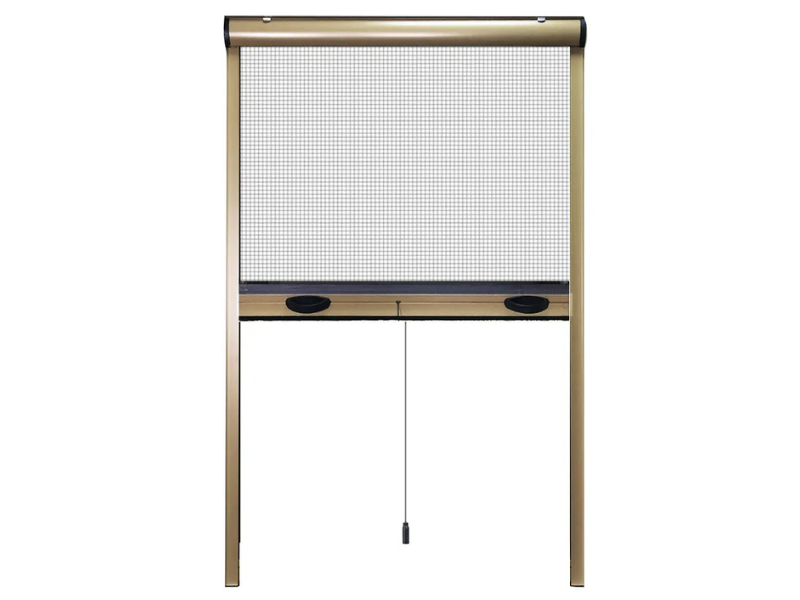
Now that we appreciate the importance of clean screens, let's talk about how to achieve it. The tool you choose can mean the difference between a job well done and accidental damage.
I've seen people use all sorts of things on their screens: old towels, rough sponges, even vacuum attachments. While these might remove some dust, they often do more harm than good. Rough materials can snag and tear the mesh. Vacuum suction can distort loosely installed screens. Abrasive tools can scratch surfaces and accelerate wear.
This is where a soft brush excels. A brush with fine, flexible bristles can get into the mesh and dislodge dust and debris from within the openings—something a cloth merely wiping the surface can't achieve. It's like effectively cleaning a fine sieve.
What do we mean by a "soft brush" for screens? Generally, we're referring to brushes designed for this purpose, often with soft natural or synthetic bristles, resembling oversized shaving brushes. Multi-purpose tools that combine a brush with a squeegee are also very handy. These 2-in-1 tools usually feature portable handles for easy storage and double-sided heads—one with fibers for dust and another with a rubber blade for water spots. Their dry-and-wet functionality is a major plus; use the brush dry for dusting or slightly damp for a deeper clean.
Another great option is the glove-style brush, a mitt you wear on your hand. These have fine bristles that penetrate deeply into the mesh and are designed for use with water only—no chemicals needed. The design offers great control and lets you feel the surface, ensuring you don't press too hard.
For the dust and grime that build up in frame corners and crevices, a small, stiff-bristled brush is invaluable. It ensures your cleaning is thorough.
The most important characteristic is bristle softness. Test the bristles against your skin. They should be firm enough to remove dirt but soft and flexible enough not to catch on and damage the mesh. Natural bristles like horsehair work beautifully, but many synthetic alternatives are equally effective and often more durable and economical.
With your brush ready, the cleaning process is simpler and faster than you might think. Once you get into a rhythm, you can clean all the screens in a typical home in under an hour.
First, prepare the area. If your screens are removable, take them down. It's tempting to clean them in place, but you'll get better results by cleaning them individually on a flat surface. If they're fixed, ensure safe access with a stable stepladder.
Next, gather your supplies: a soft brush, a bucket of warm water, mild detergent (dish soap works perfectly), a clean cloth or sponge, and a rinse source (like a hose). If you have a brush-squeegee combo tool, include that.
Begin with a dry brush pass. Before any moisture is introduced, use your soft brush to gently remove loose dust and cobwebs. Work methodically in one direction (horizontal or vertical) using light pressure. This prevents the dust from turning into mud when wet.
Now, prepare your cleaning solution. Mix a few drops of mild dish soap into a bucket of warm water. Stronger chemicals are unnecessary and can damage screen coatings. Dip your soft brush into the solution—dampen it, but don't soak it.
Gently brush the screen with the dampened brush, following the same systematic pattern. The damp bristles will lift the finer, more adhered dust. Pay extra attention to corners and edges where debris accumulates. If using a glove-style brush, simply dip it in water and use it directly.
For rinsing, if you have a hose with a gentle spray setting, that's ideal. Otherwise, use a clean sponge or cloth dipped in fresh water to wipe away the soapy residue and lifted dirt. If your tool has a squeegee side, use it now to remove excess water efficiently.
Drying is crucial. Let the screens air dry completely before reinstalling them. If you're in a hurry, you can gently pat them dry with a clean microfiber cloth, but avoid rubbing. Never reinstall damp screens, as trapped moisture can lead to mold or corrosion.
Finally, inspect your work. Hold a screen up to the light. Is the view clear? Did you miss any spots? This is also the perfect time to check for small tears or holes. If you find damage, a simple screen repair patch from a hardware store is an easy fix.
The honest answer is: it depends. Many factors influence how quickly screens get dirty.
Location is key. If you live in a dry, dusty area or near unpaved roads, you may need to clean monthly during dry seasons. Coastal areas bring salt spray that can corrode screens. Wooded, humid areas mean more pollen and organic debris. Urban environments often have more pollution residue.
Seasons matter. Spring brings pollen. Summer sees more insects and activity. Fall delivers leaves and seeds. Winter can bring road salt and grime. A good rule is to do a thorough cleaning with each season change, with lighter touch-ups in between.
Consider your household. Do you have pets or young children who touch the screens? Is there ongoing renovation nearby? These situations demand more frequent cleaning.
Instead of a rigid calendar, try an observational approach. Get in the habit of glancing at your screens when you use them. Notice when the view gets hazy or airflow seems reduced—these are your cues. For most homes in moderate climates, a deep clean every three to four months, with light dusting in between, works well.
Certain events also demand urgent cleaning: after a dust storm, nearby construction, or when new allergy symptoms appear in the household.
Remember, regular light cleaning is much easier than occasional heavy cleaning. A quick monthly pass with a dry soft brush takes minutes but prevents the buildup that requires a major effort later. It's the home maintenance version of "an ounce of prevention is worth a pound of cure."
Even with the best intentions, it's easy to damage screens using methods that seem logical but are harmful. Let's go through common pitfalls to avoid.
Using the wrong tools is a top mistake. As mentioned, rough materials can damage screens, but even some seemingly gentle ones can cause problems. Paper towels may seem soft but can snag on mesh imperfections. The same goes for abrasive synthetic sponges. If unsure, always test a new tool on a small, discreet area first.
Applying too much pressure is another common error. Screen mesh, whether fiberglass or aluminum, is delicate. Pressing too hard can stretch it out of the frame or create weak spots. Let the soft bristles do the work—minimal pressure is key.
Choosing harsh chemicals is unnecessary and risky. Screens don't need disinfecting. Strong cleaners can break down coatings, cause discoloration, and leave residues that attract more dirt. Stick to mild soap and water. For tough spots, a paste of baking soda and water applied gently with your brush works wonders.
Neglecting the frame means doing only half the job. Dirt accumulates in the frame channels and can hinder function. Use a small brush or an old toothbrush to clean these areas. If screens are removable, clean the frames before reinstalling the mesh to avoid recontamination.
Improper drying can undo all your work. As stressed, never reinstall damp screens. Also, avoid using heat sources like hair dryers, as excessive heat can warp some screen materials. Patience with air drying is best. If you must speed things up, use a fan for airflow.
Ignoring repairs during cleaning is a missed opportunity. With screens down and clean, you can easily spot small holes or tears. Repairing them promptly with appropriate patches prevents them from expanding. A small, inexpensive repair kit can save you from costly replacements later.
Forgetting that different screen types may need slightly different care. While both fiberglass and aluminum can be cleaned with the soft brush method, aluminum may be more prone to oxidation. Pet screens or other specialty types might have specific guidelines. When in doubt, check the manufacturer's recommendations.
The hardest part of screen maintenance isn't the how—it's the remembering. Like changing air filters, it's easy to postpone until it becomes a problem. Here's how to make it a habit.
Link screen cleaning to other routine tasks. Do you wash windows every spring and fall? Add screen cleaning to that schedule. Is taking down holiday decorations a yearly ritual? Let that be your cue to check your screens. Pairing it with existing habits is more reliable than remembering a standalone task.
Invest in proper tool storage. If your soft brush is buried in a cluttered garage, you won't use it. Keep your screen cleaning kit—brush, mild soap, etc.—together in an accessible place. Some tools come with detachable handles for easier storage. When tools are convenient, you're more likely to use them.
Be realistic about the time commitment. People often overestimate how long it takes. With a system, a standard screen door might take five minutes for a dry brush or ten for a full wet clean. Cleaning all screens in an average home rarely takes more than a couple of hours. The benefits of better airflow, clearer views, and longer screen life make it time well spent.
Involve the whole household. Screen cleaning is safe and simple enough for older children to help with under supervision. Assigning specific screens creates shared responsibility for home care. When people participate in cleaning, they're more likely to be careful with screens daily.
Keep an eye out for products that make maintenance easier. The home maintenance tool market is always evolving. From intuitive glove-style brushes to simple repair patches, new solutions can turn screen care from a chore into a quick, easy task.
Keep track of your efforts. A simple note on your calendar when you last cleaned screens can be surprisingly helpful, eliminating the "Was it this spring or last spring?" uncertainty. This is especially useful if you have seasonal allergies and want to see if clean screens help reduce symptoms.
Remember, perfection isn't the goal. Some people avoid tasks because they worry about doing them perfectly. With screen cleaning, something is always better than nothing. A quick dry-brush that removes 80% of the dust is far better than waiting for the perfect time for a 100% clean. Regular maintenance, even if imperfect, dramatically extends screen life and function.
Ultimately, your screen doors and windows are the connection between your indoor sanctuary and the outdoor world. With just a soft brush and a few minutes of regular attention, you can ensure that connection remains clear, functional, and beautiful for years to come.

 EN
EN